One base, four add-ons.

Every café starts with the POS. Add the modules that fit how you actually run.

The iPad POS is the front counter. Card payments run through your own EFTPOS terminal, on your own provider and rates. Kitchen display screens are built in, not sold separately.

  • Tap-to-order, modifiers, tabs, and Rush Mode for the morning queue
  • Split the bill evenly or by amount; refunds go back to each card the way it was paid
  • Tips, surcharges and cash out through the terminal, card receipt printed on your docket
  • Kitchen display screens included, unlimited
  • Staff sign in with their own PIN, so every sale has a name on it
  • Manager app for your phone — today's numbers in your pocket
  • End of day, reconciliation, GST, sales, discount and staff reports — down to each sale
  • Sales forecasting, scored against what actually happened

For MILK Intelligence: every sale, to the minute, with the staffer who rang it.
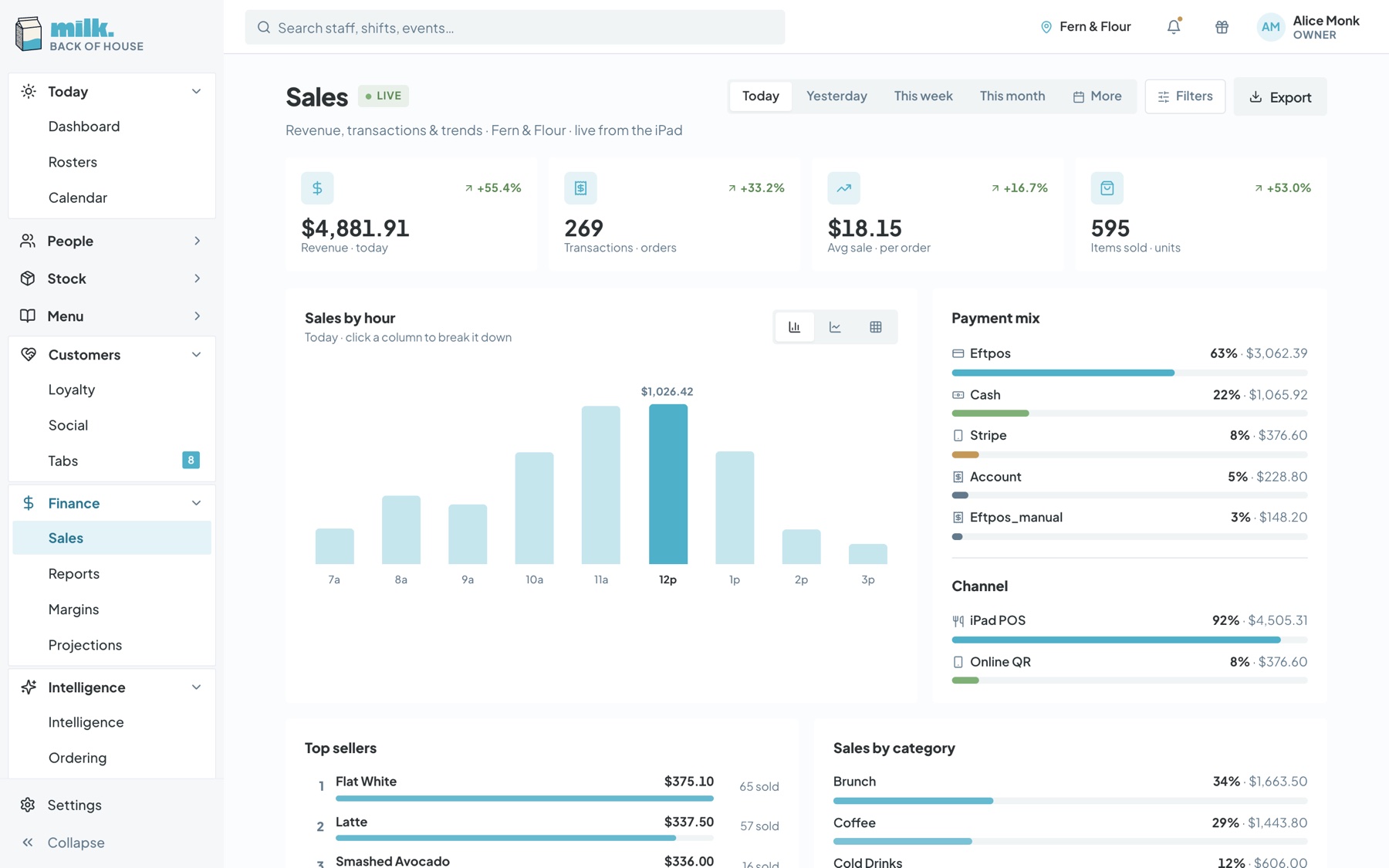
MILK back office: a Saturday’s sales by hour, payment mix and top sellers

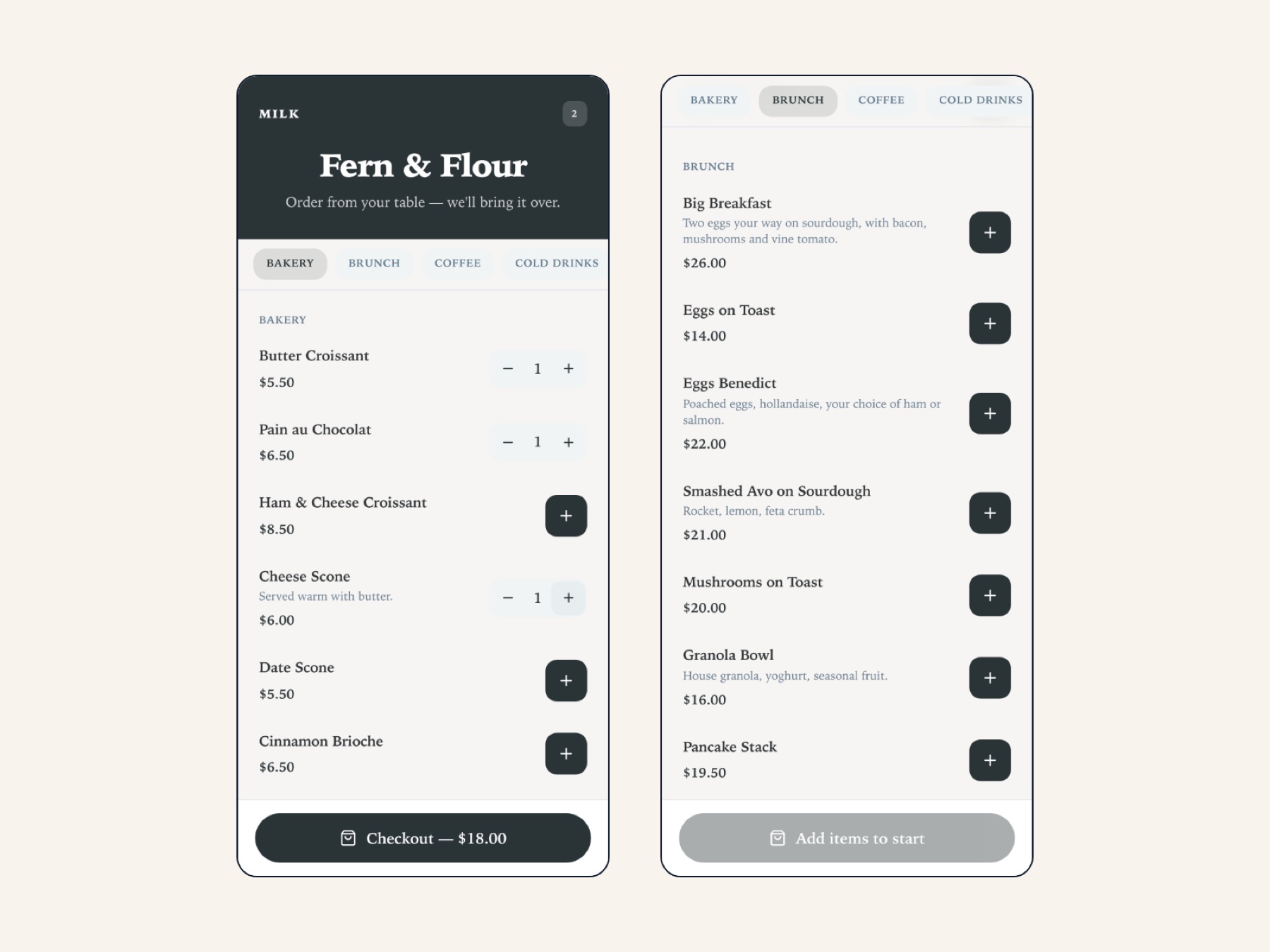
A QR on the table, an order on the till. Guests order and pay on their own phone, and the money goes straight into your own Stripe account.

  • Order at the table, or at the counter with a pickup number
  • Apple Pay, Google Pay & card, paid straight into your own Stripe account
  • Write the customer menu in your words, not the till's
  • Your cover photo, logo and food photos, from nine starting designs
  • Choose what fires to the kitchen instantly and what waits for you to accept
  • Free on every plan until 10 February 2027

For MILK Intelligence: demand that never reached the counter — what people order, and at what hour.

The QR ordering page a guest sees at the table

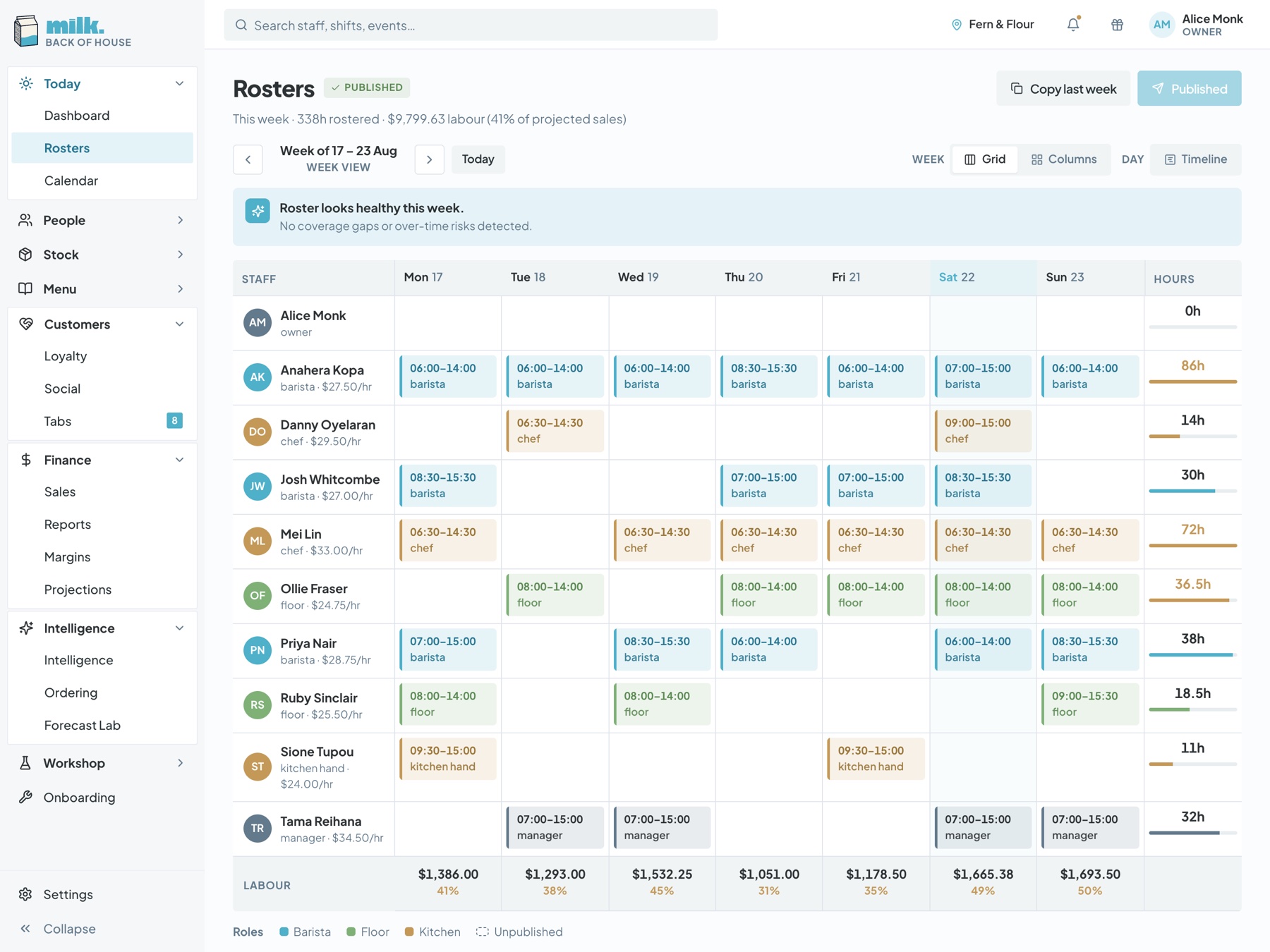
What you rostered against what you paid, hour by hour, next to what you took.

  • Drag-to-build rosters, private until you publish
  • A staff app for iPhone — their shifts, who they're on with, a pay estimate
  • Time-off requests and availability, sent from the staff app
  • Clock in and out on the counter iPad
  • Rostered vs actual labour, by the hour, against sales
  • Hours and wages, ready for your payroll

For MILK Intelligence: real hours worked, not planned.

Rostering in MILK: the week grid with labour as a share of sales

A digital card your regulars actually carry, because their phone is the card — in the Constant Card app, dressed in your café's colours.

  • Stamps or points as your earn rule — plus tiers
  • Tiers on spend, visits or lifetime value, your rules
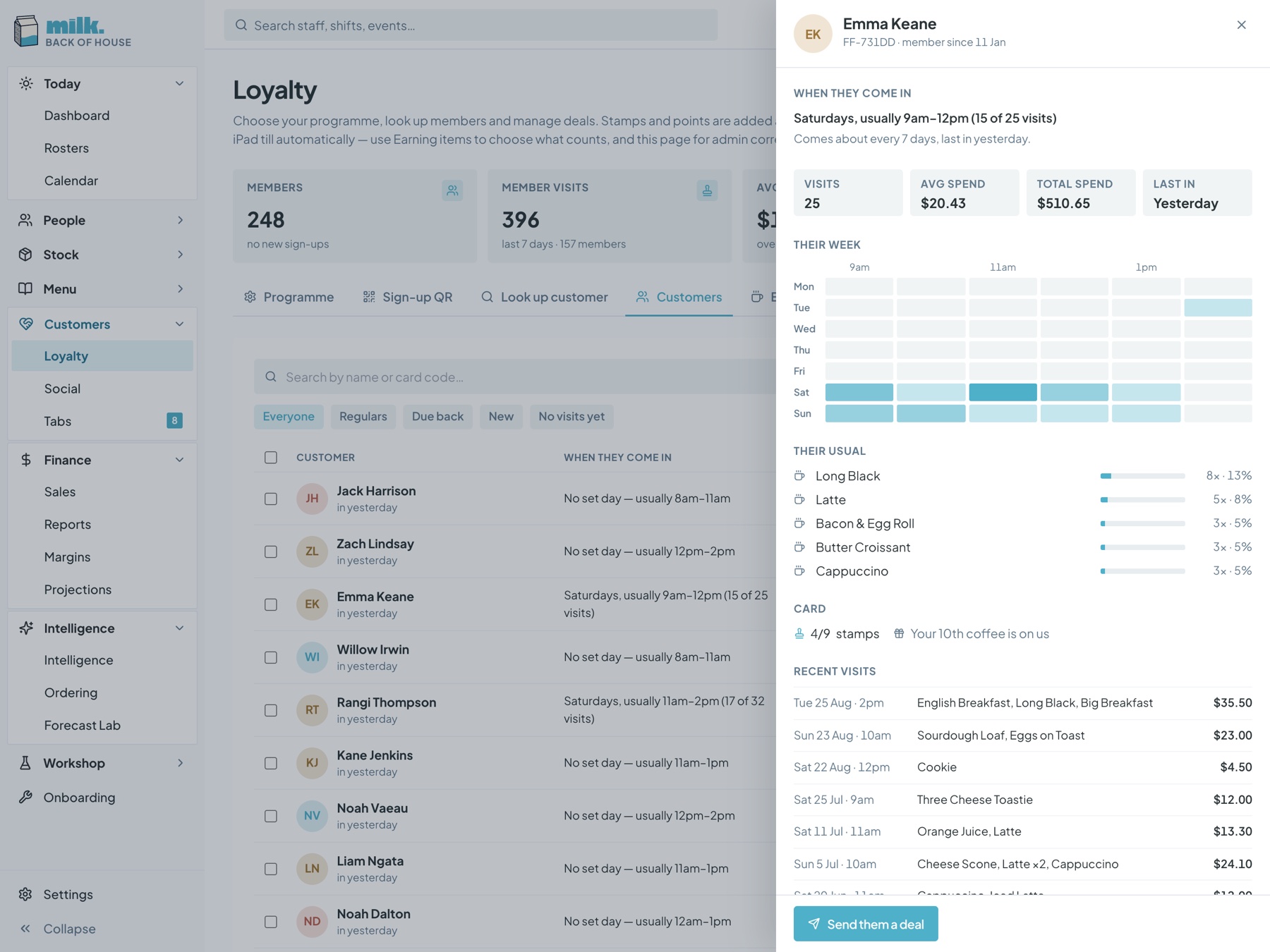
  • Each regular's usual days, times and order, at a glance
  • Offers to exactly who you pick — lapsing regulars, a tier, your Saturday crowd
  • Deals with their own days and hours, shown on the card
  • Delivered by push, not another email nobody opens
  • Redeem at the till, costed straight into your P&L

For MILK Intelligence: who your regulars are and when they slip away.

A loyalty member’s visit pattern, usual order and recent visits

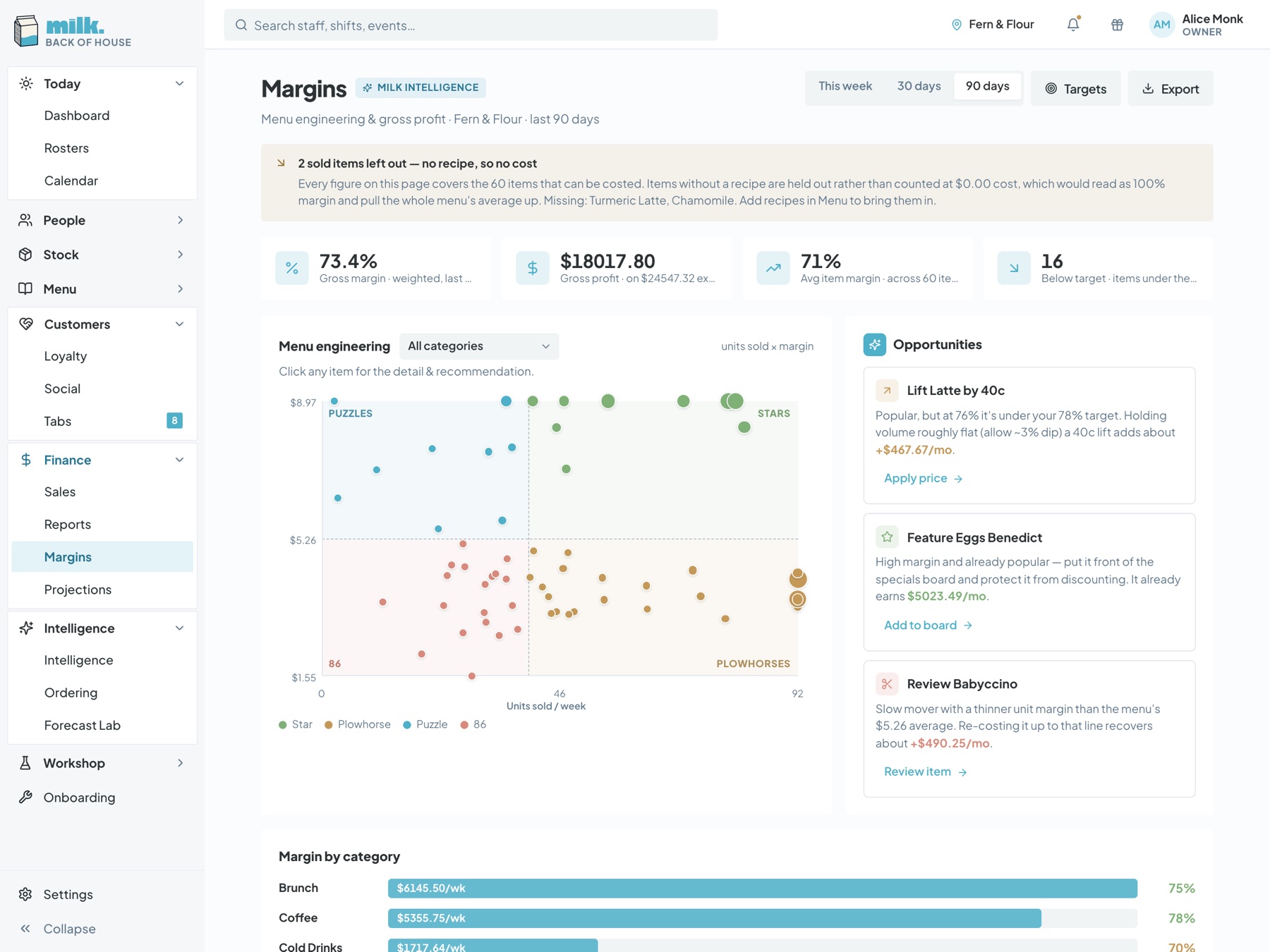
Build a recipe once and every sale knows what it used. Then the number nobody else gives a café owner: the true margin on every item on your menu.

  • Stocktakes on the iPad or your phone — two people can count at once
  • Counted vs expected, so you can see what went missing
  • Snap an invoice — we read the lines and price the change
  • House-made preps costed once, used in every recipe
  • True margin per item, including the milk they chose
  • Supplier orders, emailed straight from MILK
  • Gross profit: sales less labour and cost of goods

For MILK Intelligence: what everything costs and how fast it disappears.

Margins: menu engineering with gross profit by item

Coming soon — MILK Intelligence.

Drafts your rosters and supplier orders from your own trading. It suggests, you decide.

Find out more

Want a guided walk-through?

We'll set up a sample menu with your real prices and walk you through every module.

Book a demo